


Powergrades by @lucaepifany
Instantly Get The Film Look On Your Footage In One-Click Today.
🎨 4 Film Looks, including Kodak 500T, 250D, and 160T
🎞️ Non-Destructive Workflow with full control over halation, bloom, and grain
💻 Works with any camera and Log format
📖 20+ minute tutorial included so you know exactly how to use them
This collection offers 4 PowerGrades created with the density, grain, and color of Kodak film. Designed for total customization, these node-based tools provide a non-destructive workflow to instantly elevate your footage.
The Film Library
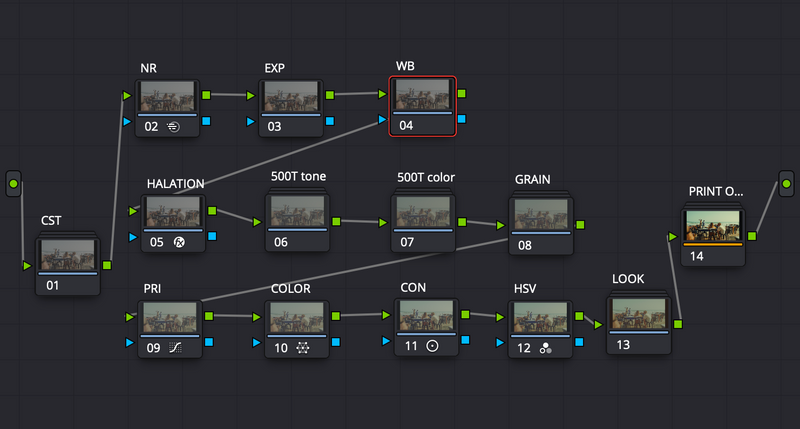
- Kodak 500T: Optimized for low-light and tungsten environments with rich, deep shadows.
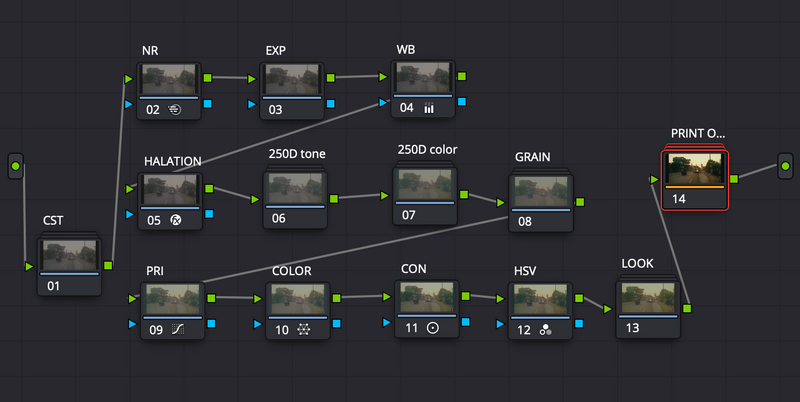
- Kodak 250D: The industry standard for daylight, offering natural skin tones and organic highlight roll-off.
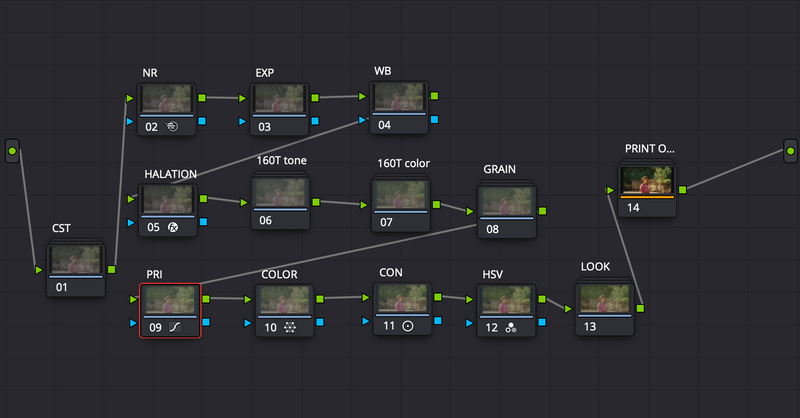
- Kodak 160T: A clean, technical stock profile for controlled studio environments and specific color accuracy.
- Kodak 500T v2: A specialized film-print emulation to complete the analog aesthetic.
Learn How To Color Grade The Right Way, Fast
Stop spending endless hours balancing shots from scratch. This pack includes a full-length masterclass tutorial that dives deep into:
- Correct node-tree structure to get the most out of your footage.
- Adjusting exposure and density to match any camera profiles.
- Customizing grain, halation, and bloom within the PowerGrade.
These Powergrades are only compatible with DaVinci Resolve & work with all camera profiles.
🎨What Makes PowerGrade Better Than A LUT?
Sony a7s3 - slog3

250d - powergrade added

adjustments



SHOT ON SONY A7S3
LOG FOOTAGE
REC.709 Conversion
250D powergrade applied
KODAK 500T
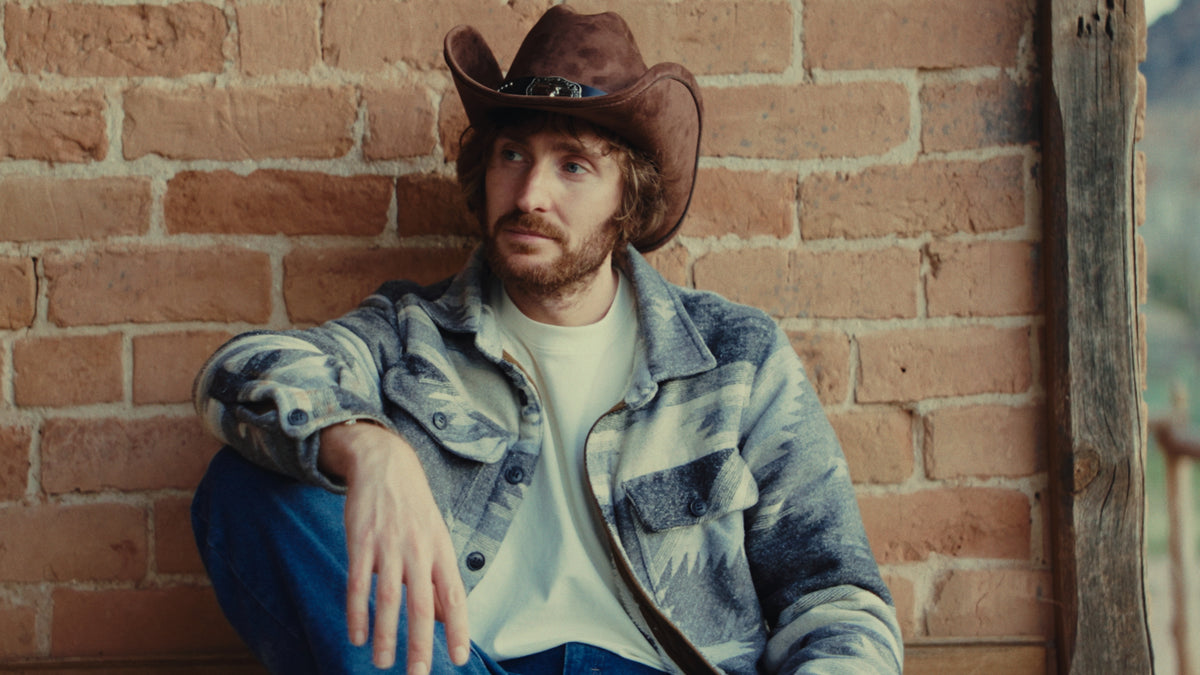


KODAK 500T v2


KODAK 250D
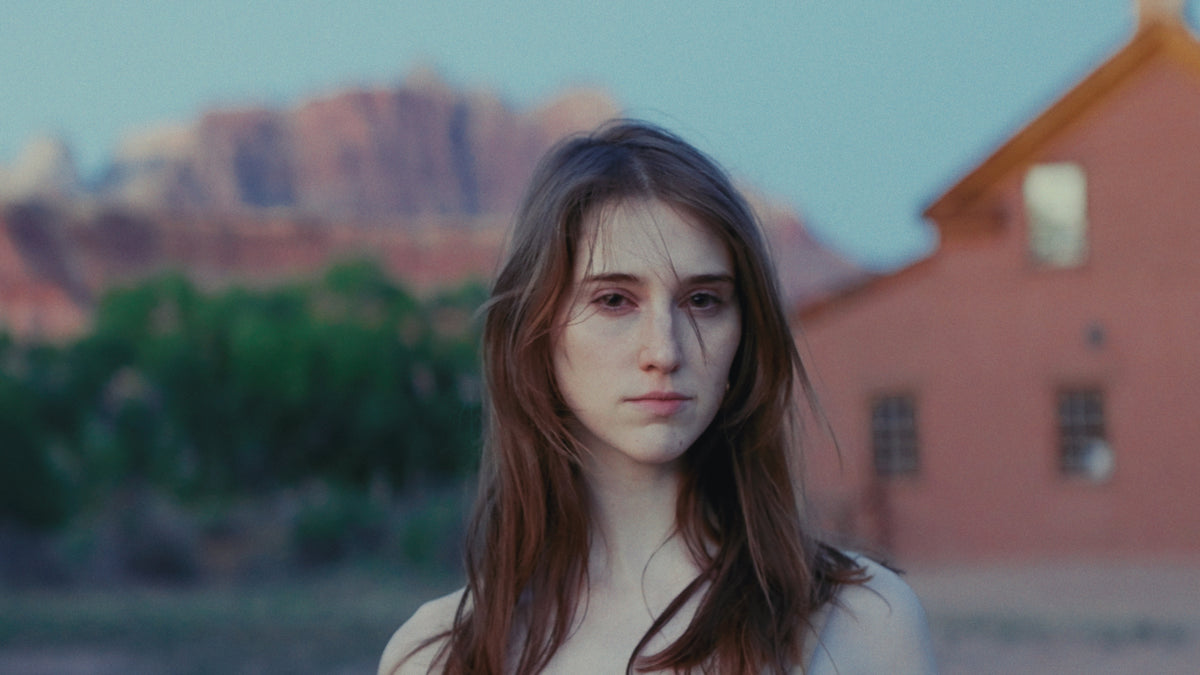


KODAK 160D


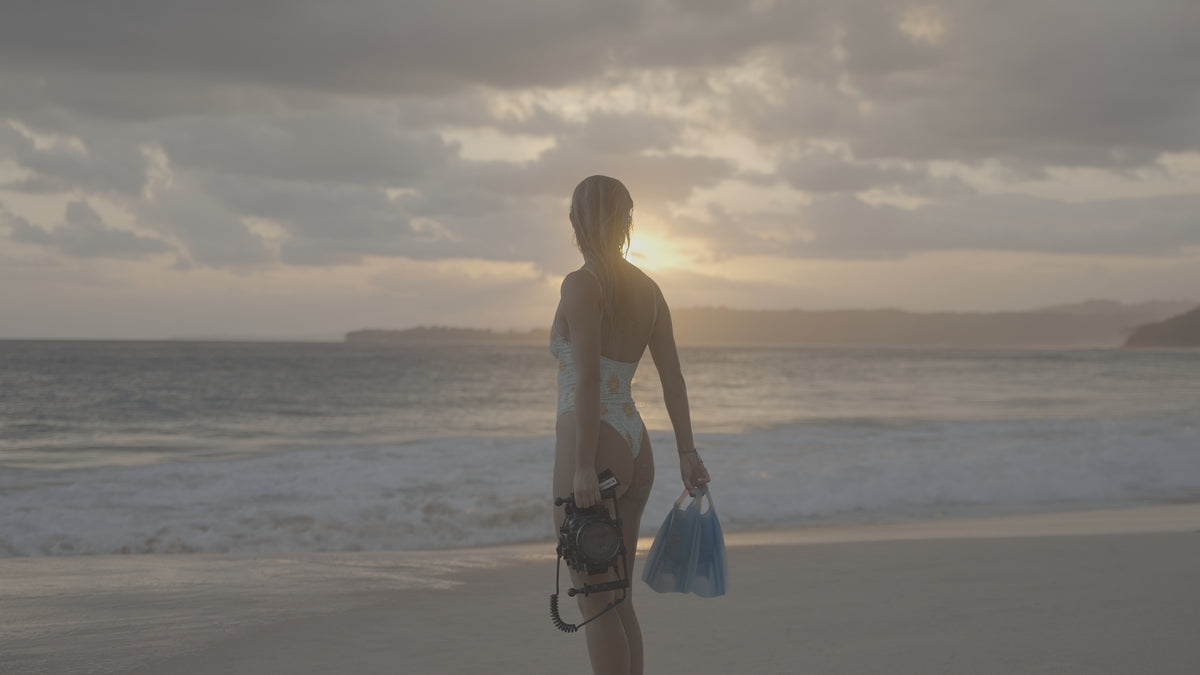
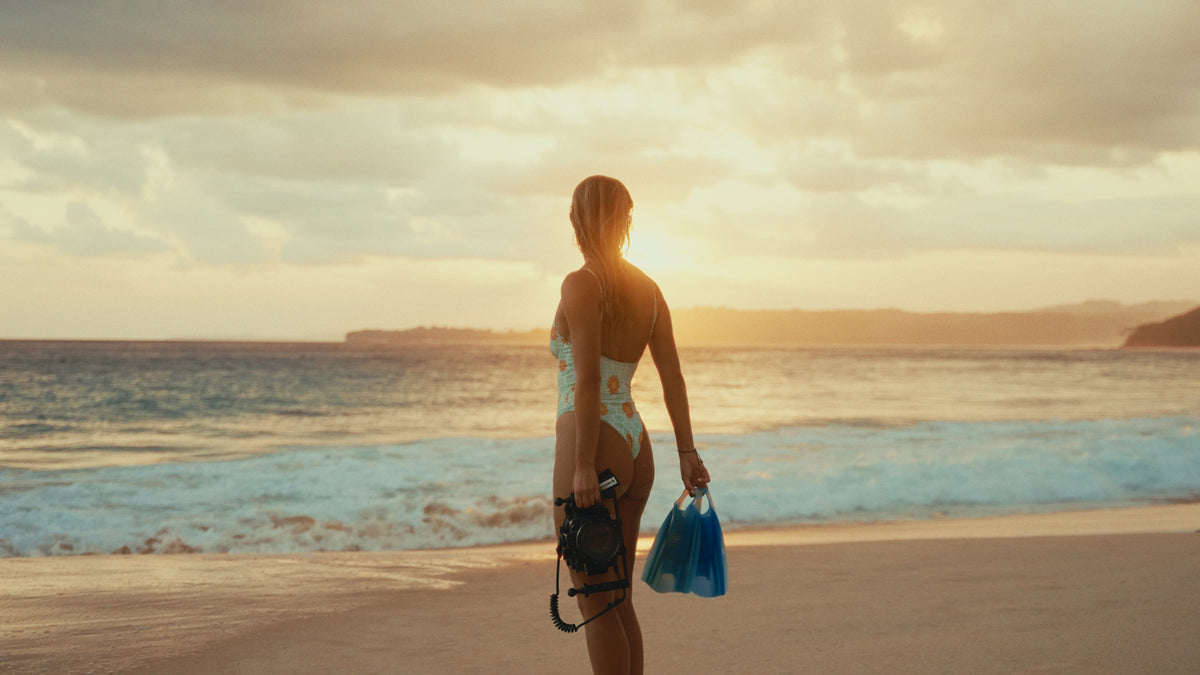


NODE TREE OVERVIEW
160T
250D
500T
500T v2
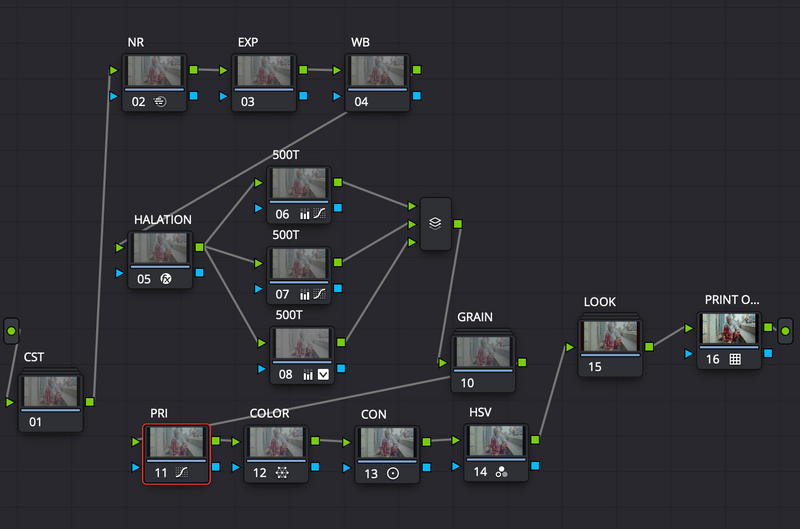
A Look Inside the Node Tree The foundation of a professional grade isn't just the final look, it's the infrastructure. My PowerGrades are built on a structured, non-destructive node tree that allows for precise control without breaking the underlying color science.
Input & Color Space Transform (CST):
Everything begins with a technically accurate starting point. The first nodes handle the Color Space Transform, bringing your specific camera Log (Sony S-Log3, DJI D-Log, etc.) into a unified working space. This ensures that the film stock emulations react predictably to your footage, regardless of the sensor used.
Primary Corrections & Balancing:
Before we apply the "look,' we establish the "base." This section is dedicated to exposure recovery, white balance, and contrast. By placing these Primaries at the start of the chain, you can make global adjustments that flow naturally into the film emulation layers without clipping data.
The Core Emulation Layer:
This is the soul of the PowerGrade. Unlike a flat LUT, this group uses complex math to rebuild the Density and Color Response of specific Kodak emulations. It targets the subtractive color model, meaning the more saturated a color gets, the darker it becomes, replicating the organic behavior of real film.
Skin Tone Protection & Secondary Adjustments:
A high-end grade must prioritize the human element. Dedicated nodes are mapped to isolate and protect Skin Tones, ensuring they remain natural and"creamy" even when heavy stylistic shifts are applied to the rest of the environment.
Film Lab & Textural Finish:
The final group handles the tactile elements that define the analog experience. This includes:
Halation: The subtle red glow around high-contrast edges.
Film Grain: Scanned from real emulsion to add organic movement to the digital sensor.
Film Blur & Bloom: Softening the digital sharpness to mimic vintage optics.
Final Output & Mastering:
The tree concludes with a master adjustment node to ensure the image sits perfectly within the Rec.709 color gamut, making your footage ready for the big screen or high-end web delivery.
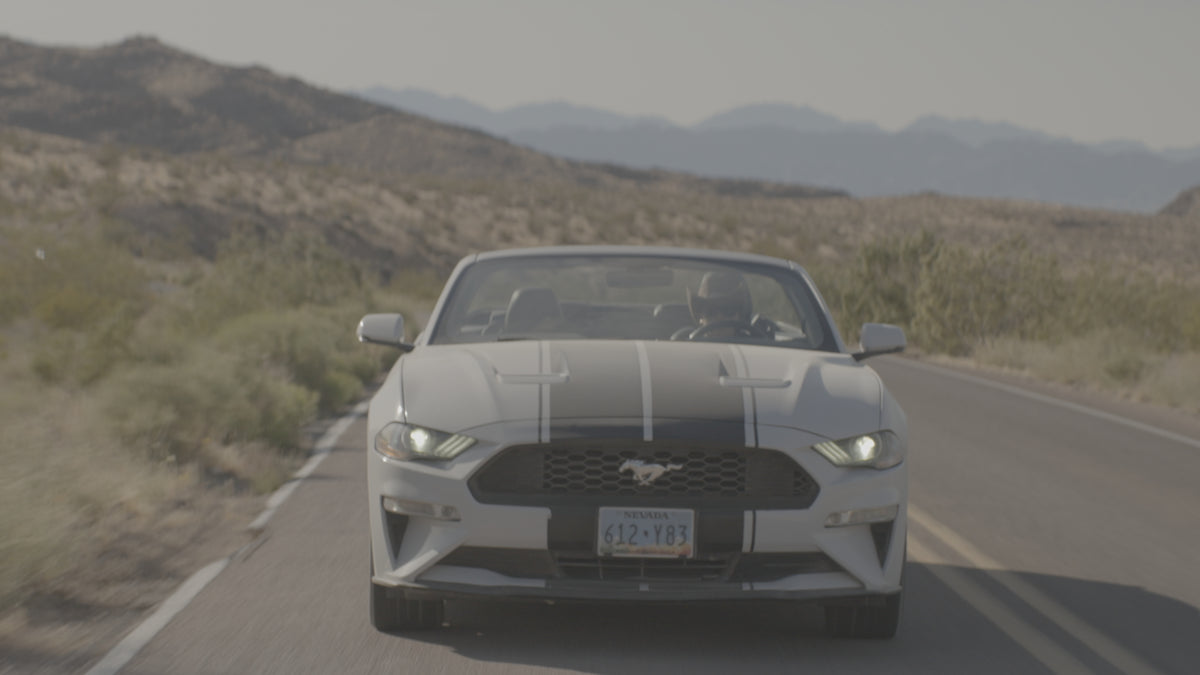
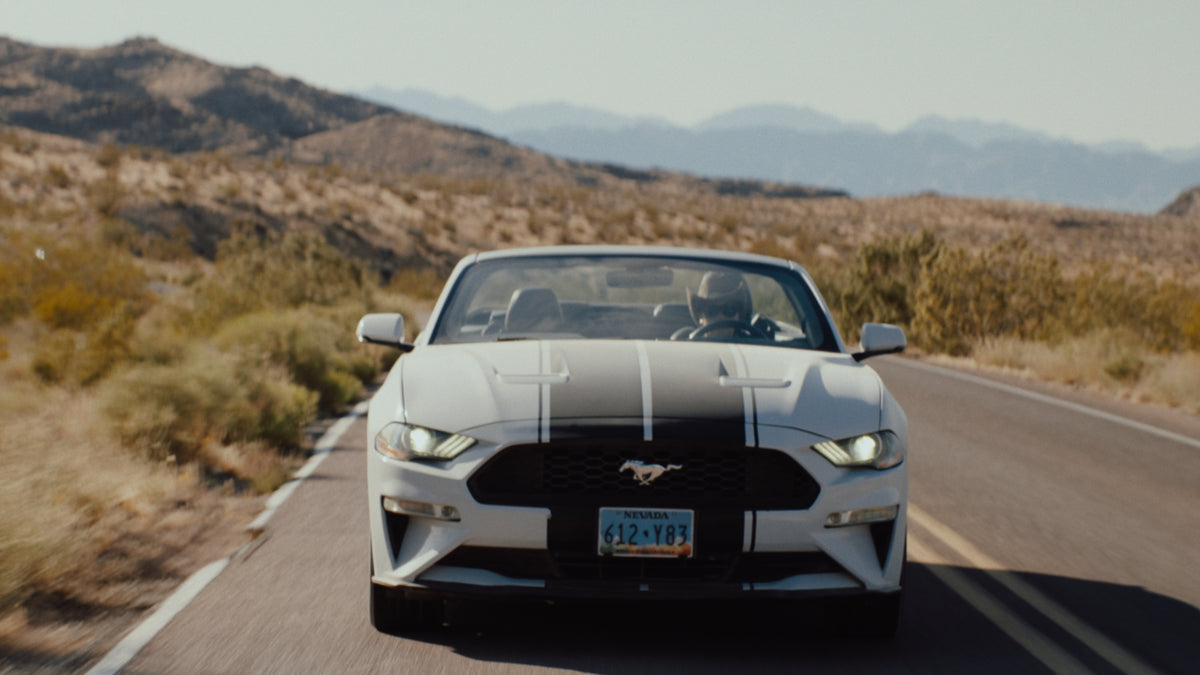
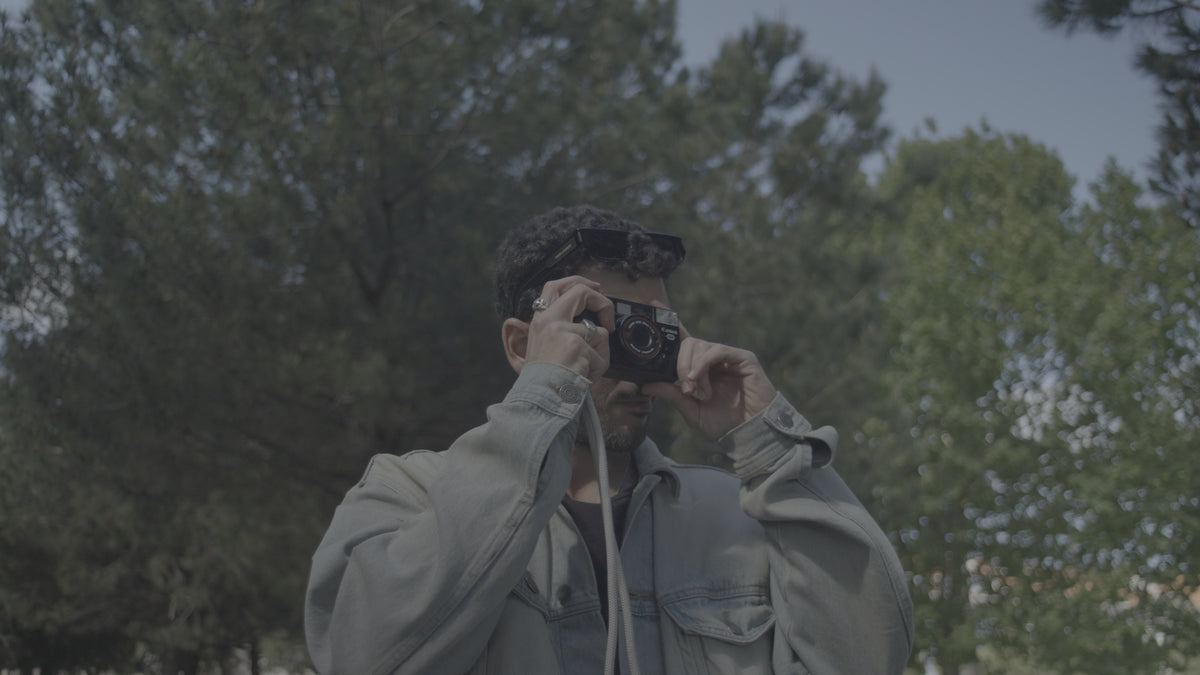
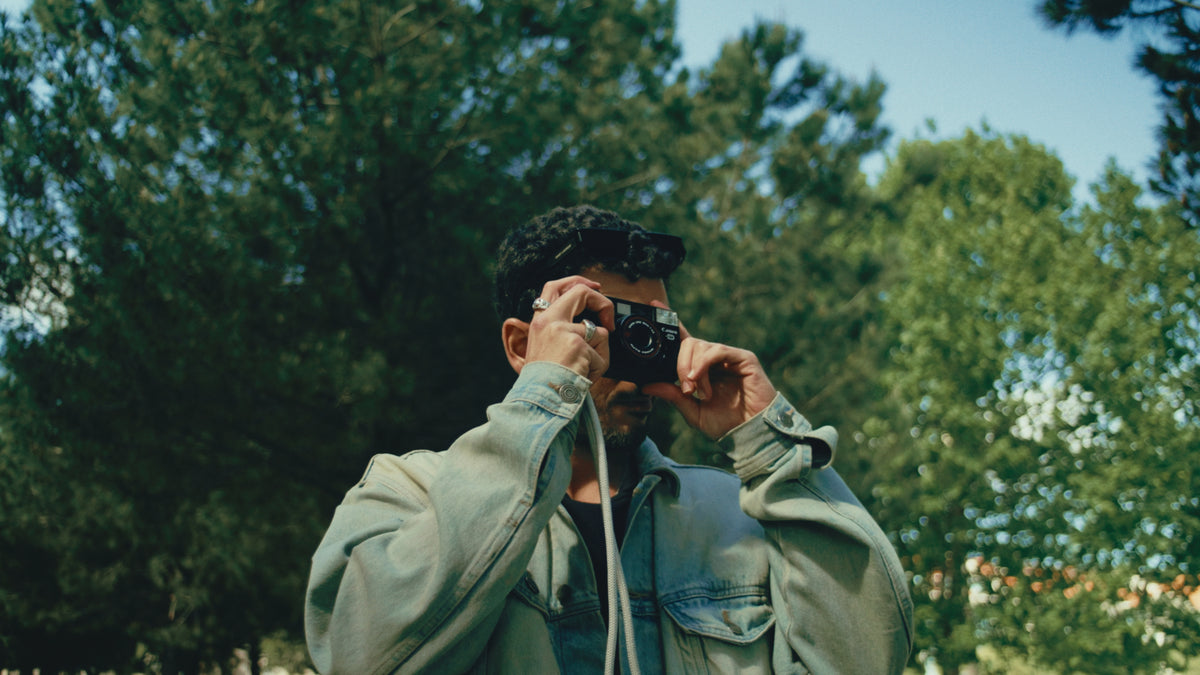
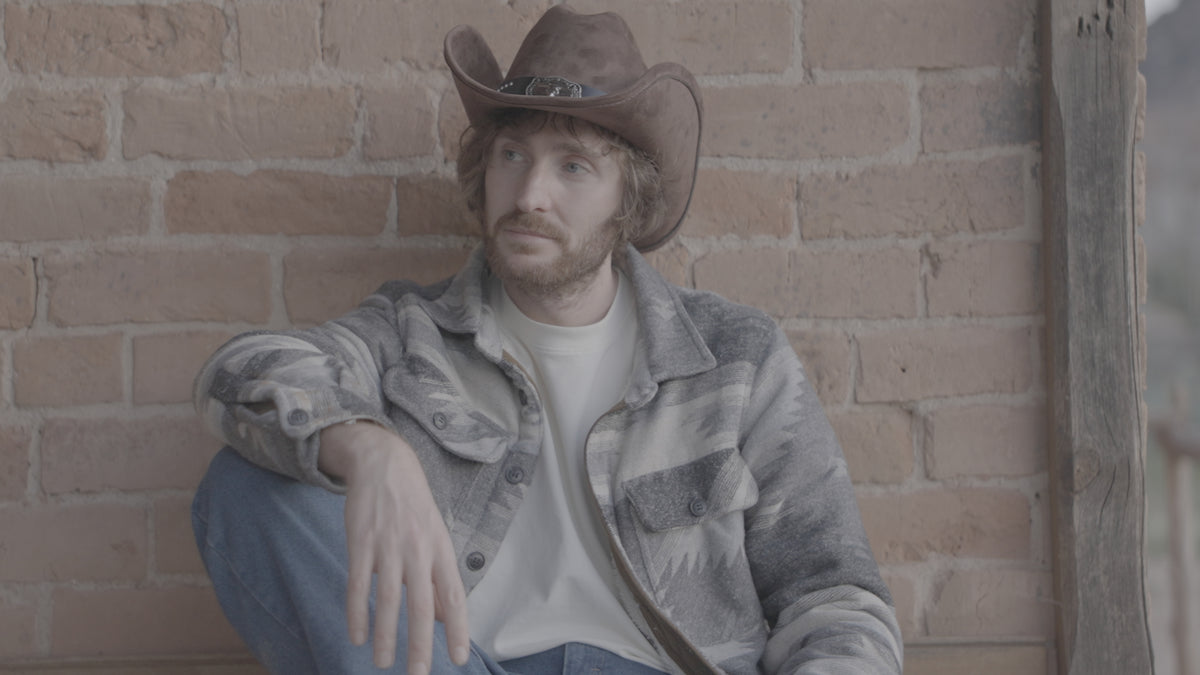
More Before & Afters
Powergrades by @lucaepifany
Instantly Get The Film Look On Your Footage In One-Click Today.
🎨 4 Film Looks, including Kodak 500T, 250D, and 160T
🎞️ Non-Destructive Workflow with full control over halation, bloom, and grain
💻 Works with any camera and Log format
📖 20+ minute tutorial included so you know exactly how to use them
This collection offers 4 PowerGrades created with the density, grain, and color of Kodak film. Designed for total customization, these node-based tools provide a non-destructive workflow to instantly elevate your footage.
The Film Library
- Kodak 500T: Optimized for low-light and tungsten environments with rich, deep shadows.
- Kodak 250D: The industry standard for daylight, offering natural skin tones and organic highlight roll-off.
- Kodak 160T: A clean, technical stock profile for controlled studio environments and specific color accuracy.
- Kodak 500T v2: A specialized film-print emulation to complete the analog aesthetic.
Learn How To Color Grade The Right Way, Fast
Stop spending endless hours balancing shots from scratch. This pack includes a full-length masterclass tutorial that dives deep into:
- Correct node-tree structure to get the most out of your footage.
- Adjusting exposure and density to match any camera profiles.
- Customizing grain, halation, and bloom within the PowerGrade.
These Powergrades are only compatible with DaVinci Resolve & work with all camera profiles.